
VidSEO transcript plugin for WordPress
Video transcript embedding for WordPress
Expose video transcripts as native HTML for WordPress.
VidSEO makes spoken video content readable in the page DOM so search engines, screen readers, and language models can read what the video actually says.
Use it when the meaning of a page depends on the explanation inside a YouTube or Vimeo video and you do not want that meaning locked behind playback alone.
Read the docsCompare Free vs Pro
- YouTube and Vimeo support
- Retrieve existing YouTube subtitles when available
- Add transcript content manually when needed
- Render transcript text as native HTML inside the page
WordPress.org snapshot
Public proof
200+ active installs
The public plugin listing already shows live adoption, not just a mock product page.
Public feedback
4.2 / 5 public rating
The public WordPress.org listing currently shows 6 reviews and a 4.2 / 5 rating for the plugin.
Compatibility
Tested up to WordPress 6.9.4
The live WordPress.org listing currently presents VidSEO as compatible with modern WordPress installs.
Snapshot source: the public WordPress.org plugin page as checked in March 2026. Values can evolve.
How the workflow looks in WordPress

Product demo on Vimeo
Public demo
Use the Vimeo walkthrough to see the publication model in context.
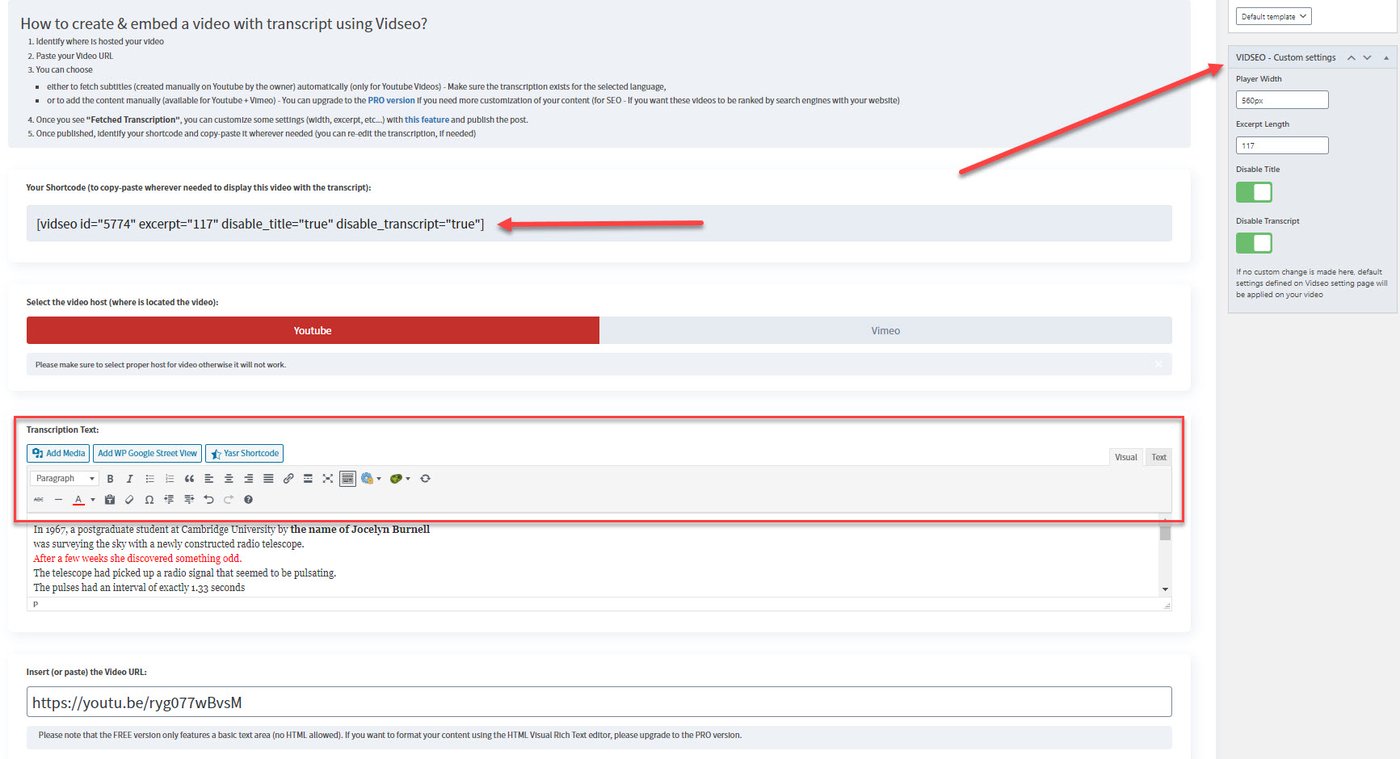
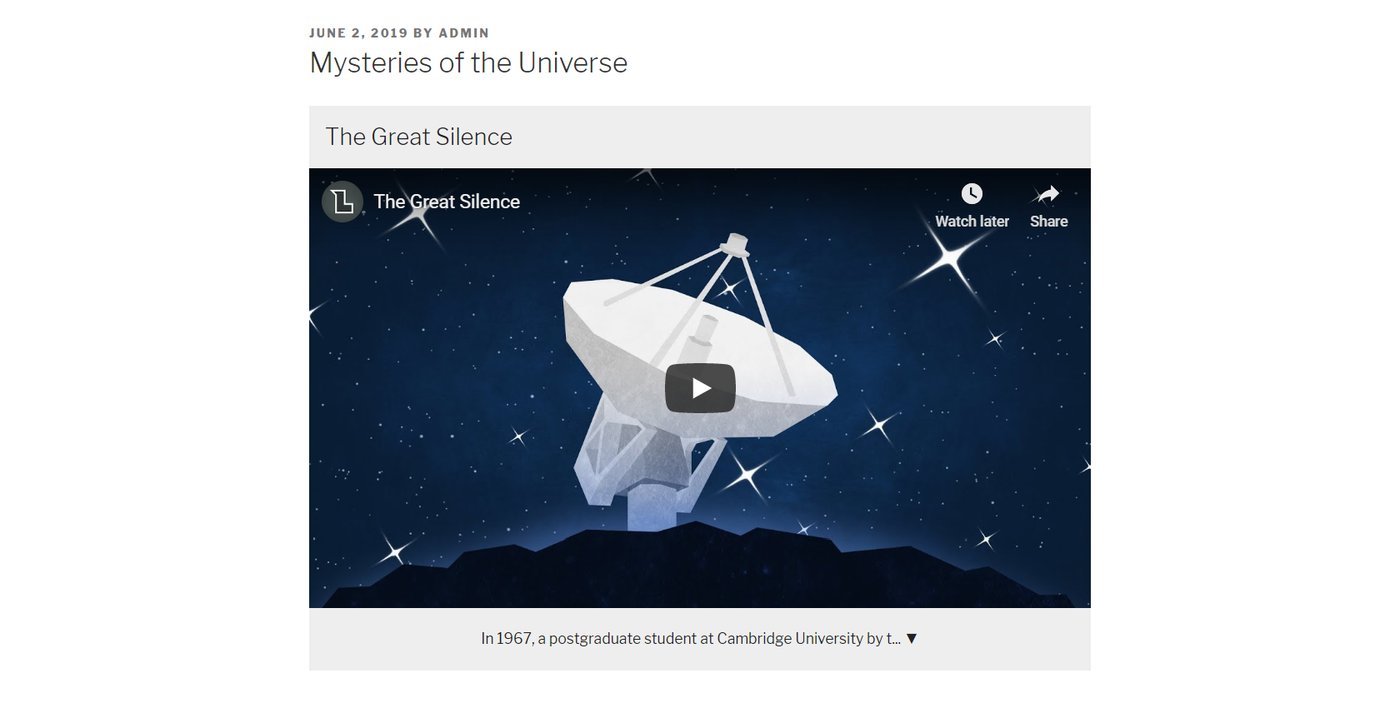
The current public Vimeo demo still helps explain the product shape: video source, transcript handling, shortcode publication, and front-end rendering in WordPress.
Treat it as a workflow demo, not as a claim that every screen perfectly matches the latest UI.
Why publishers use VidSEO
Product demonstrations
Important explanations remain accessible even when the visitor does not watch the entire demo.
Tutorials and guides
Spoken steps become readable text that is easier to scan, reuse, and revisit.
Interviews, webinars, and conferences
Quotes and long explanations stay visible instead of remaining buried in a timeline.
What VidSEO does, and what it does not do
Product boundary
Concrete transcript exposure, not invented meaning.
VidSEO becomes useful because it publishes readable text. That is its role.
- Embed YouTube or Vimeo videos
- Associate each video with a transcript
- Render transcript text as HTML in the page
- Support a shortcode-based publication workflow
Explicit non-goals
No opaque rewriting layer
- The product does not generate content for you
- It does not summarize or rewrite the transcript
- It does not invent missing facts
- It does not guarantee rankings, visibility, or citations
Free and Pro paths
Upgrade path
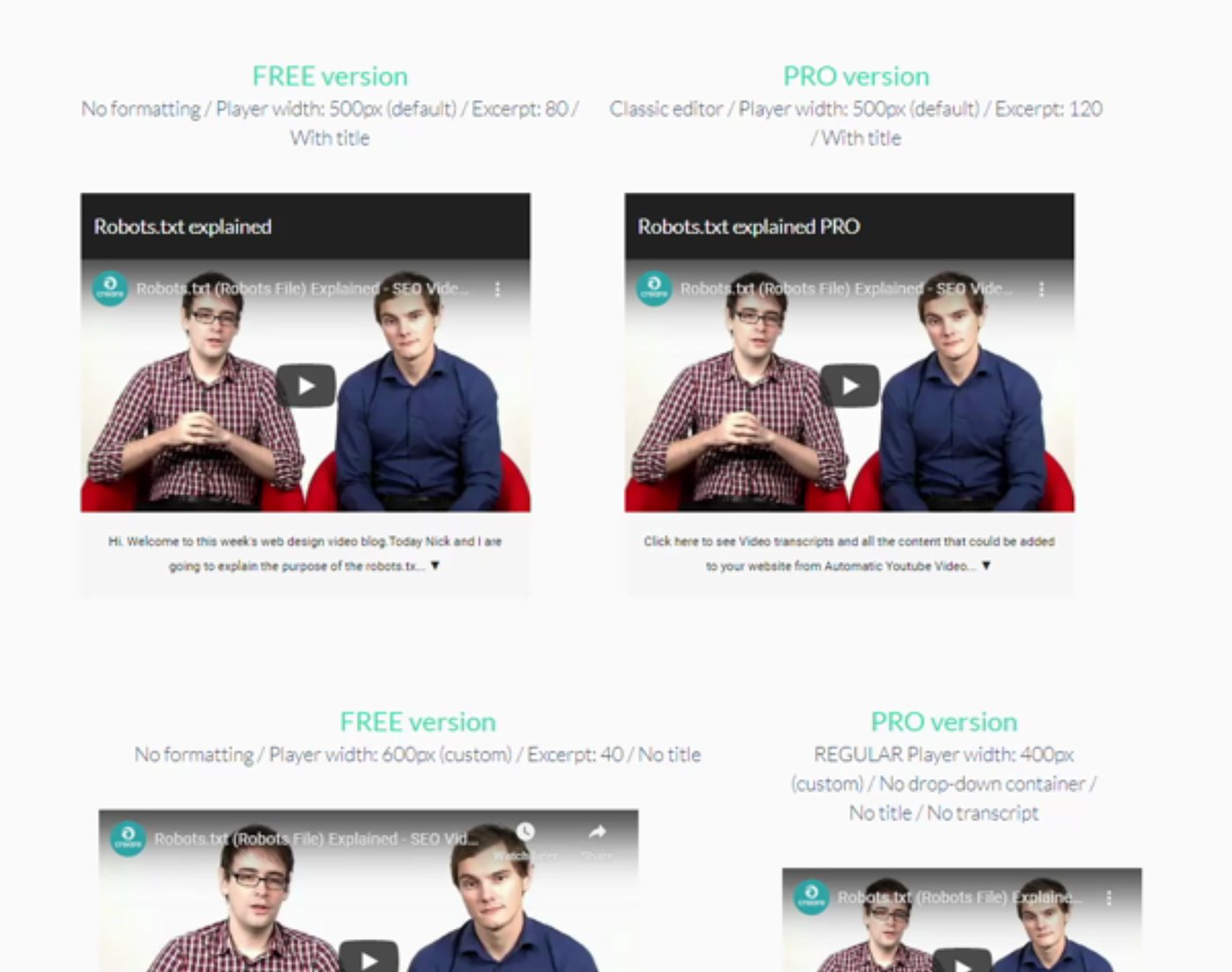
Stay on the free plugin for core transcript exposure. Move to Pro when you need richer formatting and presentation control.
The free plugin already gives you the publication model. Pro becomes useful when you need a more polished transcript block, more styling flexibility, and a cleaner fit for commercial pages.
- The free plugin starts at $0 on WordPress.org
- Pro extends formatting and presentation flexibility
- The live Pro billing amount is shown at checkout to avoid stale pricing on this site
Start in the right place
Use the product pages for the core message, the documentation for the workflow, the comparison page for upgrade decisions, and the blog for transcript-first publishing models.